Google SERP Simulator
Preview exactly how your page will appear in Google search results. Optimize titles, meta descriptions, and URLs for maximum click-through rate before you publish.
SearchBulb is a free SEO toolkit with 6+ professional tools, zero paywalls, no signups, and no feature limits. +1
Every tool is built for practicing SEOs.
- 100% Free: No credit card, no signup, no trial limits
- Live Tools: All tools are functional, not demos
- No Dark Patterns: No forced registrations or upsell gates
- Built by an SEO: 6+ years of hands-on experience



Everything You Need to Optimize Your Snippets
Professional-grade SERP preview with pixel-accurate measurements and real-time feedback.
Pixel-Perfect Preview
See exactly how your title and description render in Google. We measure pixel width, not just character count.
Full SERP Environment
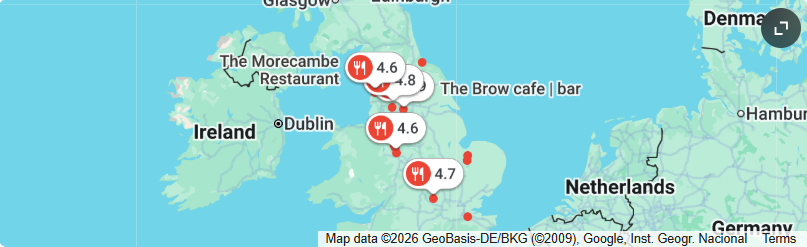
Preview your result alongside AI Overviews, sponsored ads, local map packs, and competitor skeletons.
Keyword Highlighting
Simulate how Google bolds your target keywords in search results. Maximize visual impact.
Real-Time Metrics
Live character and pixel counters with color-coded warnings. Green = good, yellow = warning, red = truncated.
Rich SERP Features
Toggle date display, star ratings, favicon, AI Overview, ads, and map pack to see your enhanced snippet.
Export & Share
Copy optimized HTML meta tags directly to your clipboard or save the preview as an image to share.
Frequently Asked Questions
Common questions about SERP simulators and how to use this tool
Ready to Optimize Your Snippets?
Join thousands of SEO professionals using our free tools. No credit card required. No signup. Just results.
Read More: Complete SERP Optimization Guide
What is a SERP Snippet?
A SERP snippet is the preview of your page that appears in Google’s organic search results. It consists of three core elements: the title tag (blue clickable link), the URL (green breadcrumb path), and the meta description (gray descriptive text). Google may also enhance your snippet with rich results like star ratings, images, FAQ dropdowns, or sitelinks.
Your snippet is essentially your free advertisement in Google’s search results. A well-optimized snippet can increase your click-through rate by double-digit percentages, even if you’re not in the #1 position.
Why Pixel Width Matters More Than Character Count
Google renders search results using Arial font at 20px size. Different characters have different widths. The letter “W” is much wider than “i”. Two titles with the same character count can have completely different pixel widths.
Google’s truncation happens at approximately 580-600 pixels on desktop. If your title exceeds this width, Google cuts it off with an ellipsis. Google won’t truncate mid-word — it removes the entire last word that doesn’t fit.
Our Google SERP Simulator uses the same font and measurements as Google. Green = safe, yellow = approaching limit, red = truncated.
How to Write Title Tags That Get Clicks
- Keep it under 60 characters / 580 pixels to avoid truncation on desktop.
- Place keywords early in the first 3-5 words. Google bolds matching keywords.
- Use numbers and years like “[2026 Guide]” for 36% more clicks.
- Use brackets like [Free Tool] or (Step-by-Step) for up to 38% higher CTR.
- Include your brand at the end for recognition and trust.
How to Write Meta Descriptions That Convert
- Start with a benefit: “Learn how to…” “Discover the secrets of…”
- Include your keyword naturally for bolding in search results.
- Add a call-to-action: “Read more,” “Try it free,” “Get started today.”
- Front-load the value in the first 120 characters as a safety margin for mobile.
Rich Snippets and SERP Features
Enhance your appearance with rich snippets using structured data:
- Star ratings via Review schema for product/service pages
- FAQ dropdowns via FAQPage schema in search results
- Breadcrumbs via BreadcrumbList schema
- Article dates via Article schema
Use our Schema Generator to create JSON-LD structured data for your pages.
All data processed in your browser. No stored URLs, no tracking, no account required. Privacy Policy.